Logging a service request from the sales desk
Who this is for: Sales Executives and Sales Managers. A customer mentions a problem while you're there for something else — this is how you get it into the service queue instead of writing it on the back of a card.
What you'll do: raise the request against the right customer and unit, and hand it to your Service Coordinator, who schedules it and sends an engineer.
Step 1 — Open Service Requests
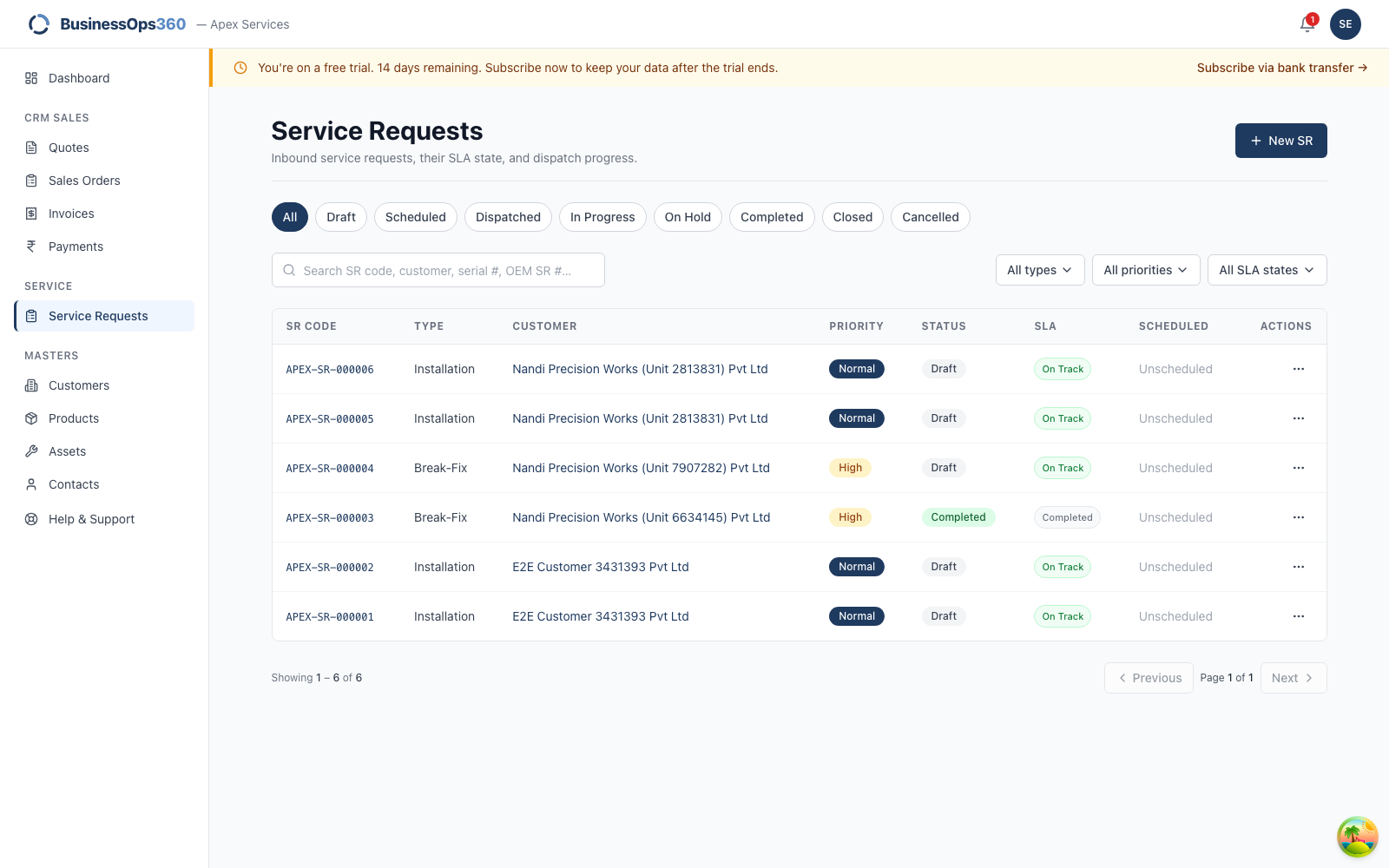
Go to Service → Service Requests. You see the requests relevant to sales, and
a New SR button. Click it.
Step 2 — The form knows you're from sales
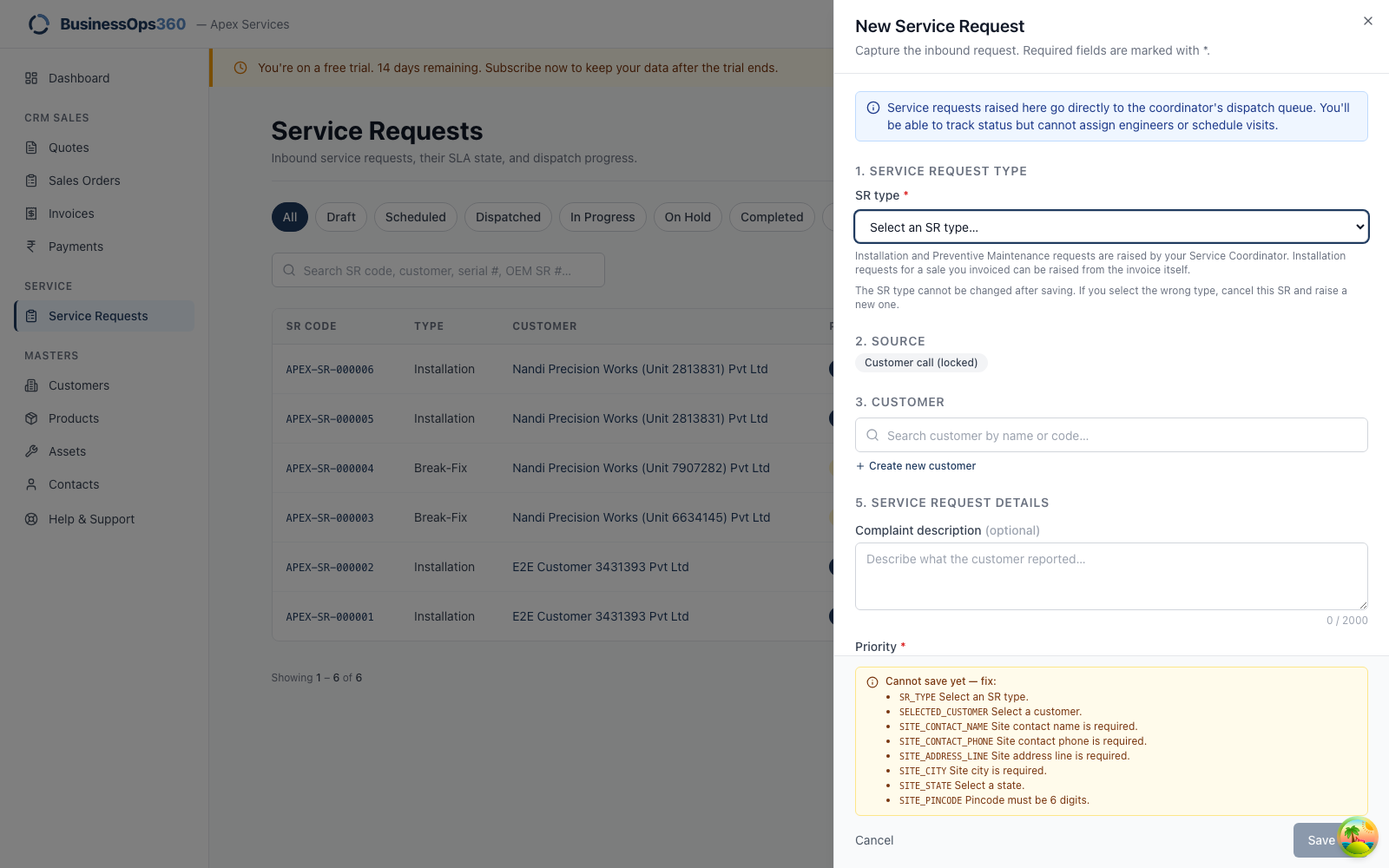
A blue banner confirms it: "Service requests raised here go directly to the
coordinator's dispatch queue. You'll be able to track status but cannot assign
engineers or schedule visits."
Two things are handled for you:
- Source is locked to Customer call — that's what a sales-raised request
always is. - Engineer and visit date aren't shown at all. In their place is a note
saying a coordinator will schedule it.
Step 3 — Choose the type of visit
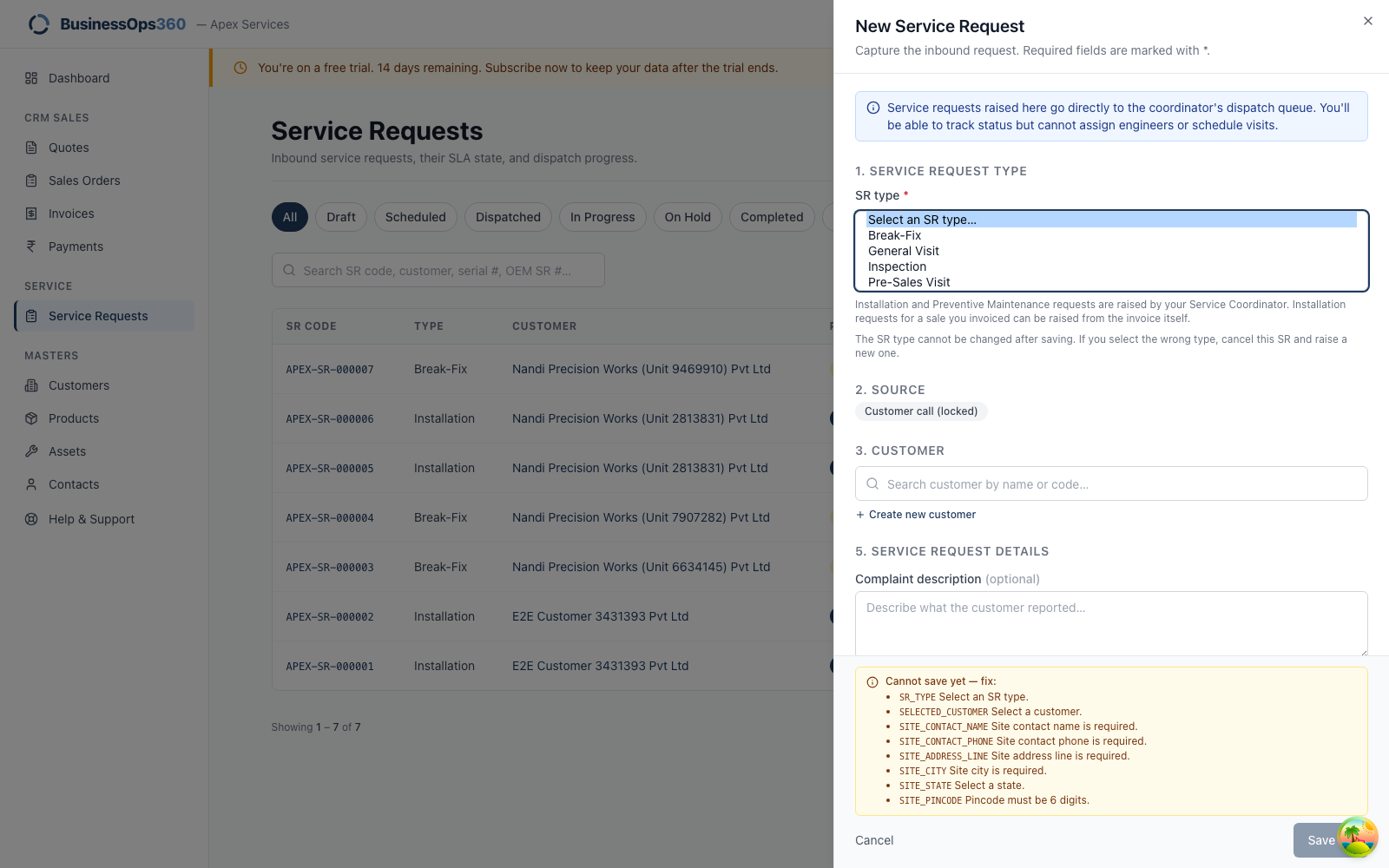
You can raise four kinds of request:
| Type | Use it when |
|---|---|
| Break-Fix | Something has stopped working or is failing. The most common. |
| General Visit | A visit that isn't a breakdown — a check, a customer request. |
| Inspection | A survey or condition check of equipment on site. |
| Pre-Sales Visit | A site visit before a sale — feasibility, sizing, a survey for a quote. |
Step 4 — Fill in the details
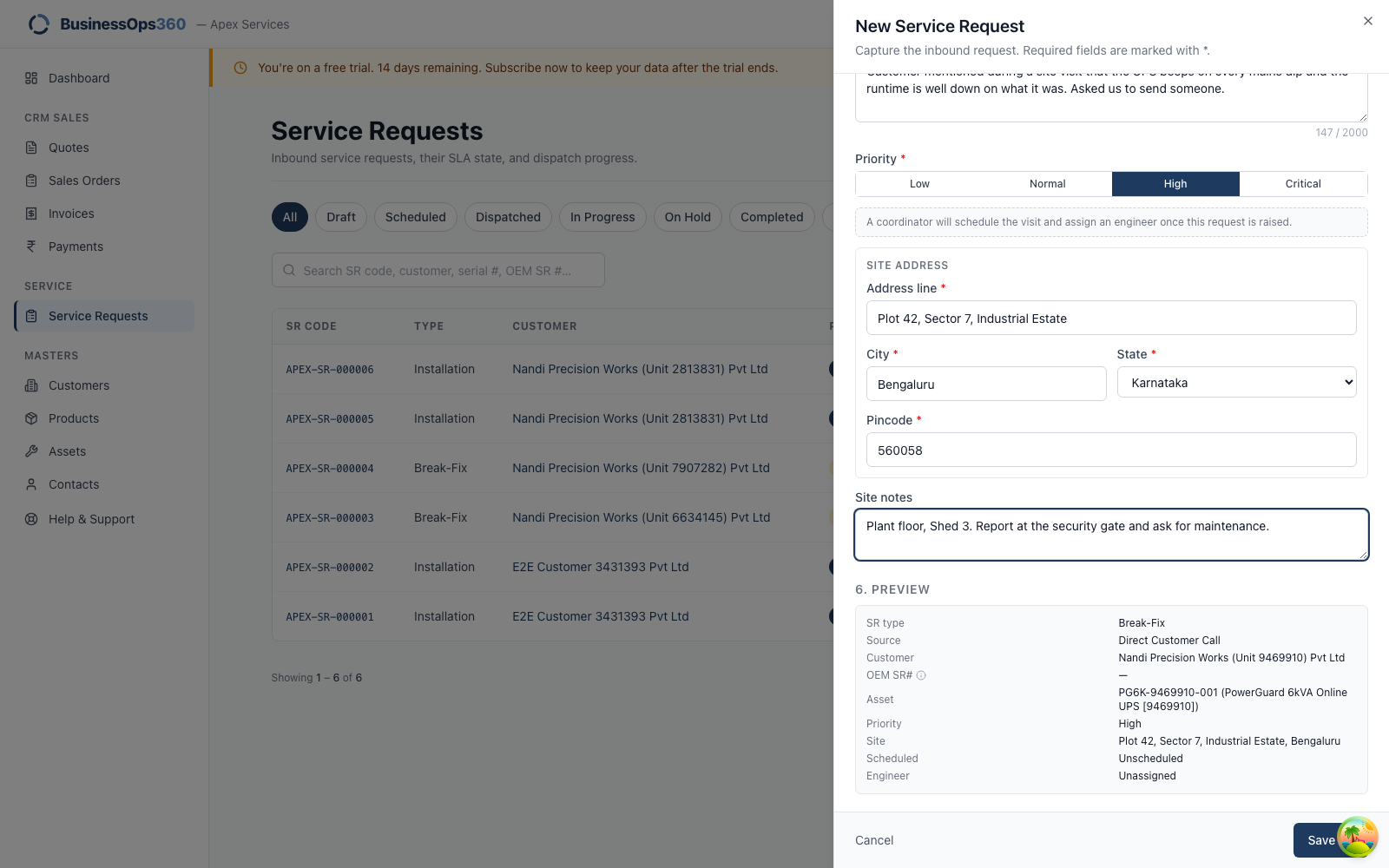
| Field | What to put |
|---|---|
| Customer | Search by name or code. |
| Asset | The specific unit. Search by serial. It gives the engineer the machine's history. |
| Complaint | What the customer actually said — symptoms, not your diagnosis. |
| Priority | Be honest. If everything is Critical, nothing is. |
| Site contact + phone | Required. Nobody can be sent to a site with no one to ask for. |
| Site address | Where the unit is — often not the billing address. |
| Site notes | Gate procedure, access, who to report to. This is the field that saves an engineer an hour. |
Click Save.
Step 5 — Check what you raised
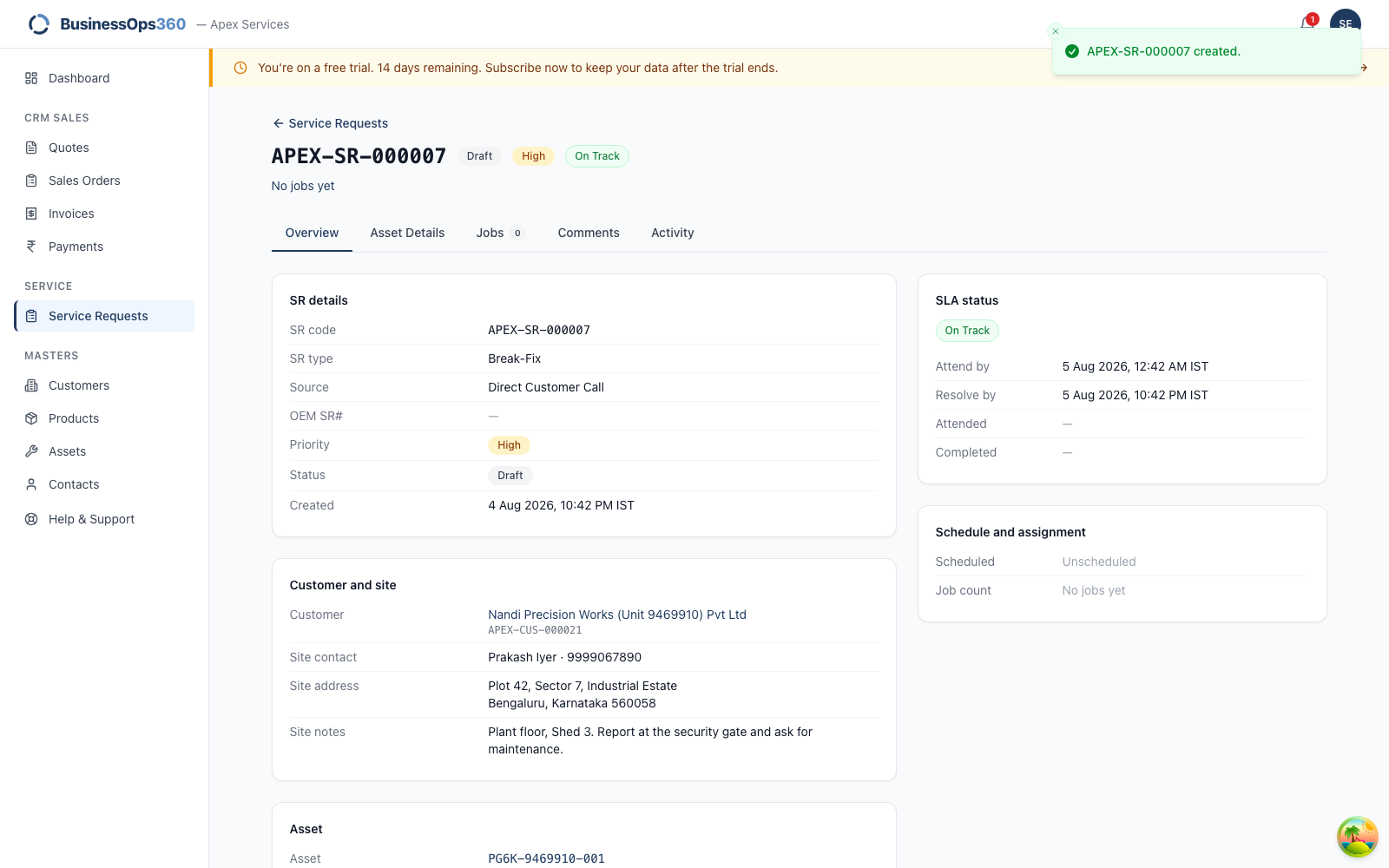
The request now has an SR number, and shows the customer and the unit's
serial so you can confirm you logged it against the right machine.
It also carries an attend deadline, set automatically from the type of work
and your agency's SLA settings. That's the promise your colleagues now have to
meet — another reason to set the priority honestly.
Step 6 — Hand over
There's no Assign action on your screen. The request is already in the
coordinator's dispatch queue; they'll schedule it and send someone. You can open
it any time to see where it's got to, and add a comment if the customer tells you
more.
What your coordinator sees
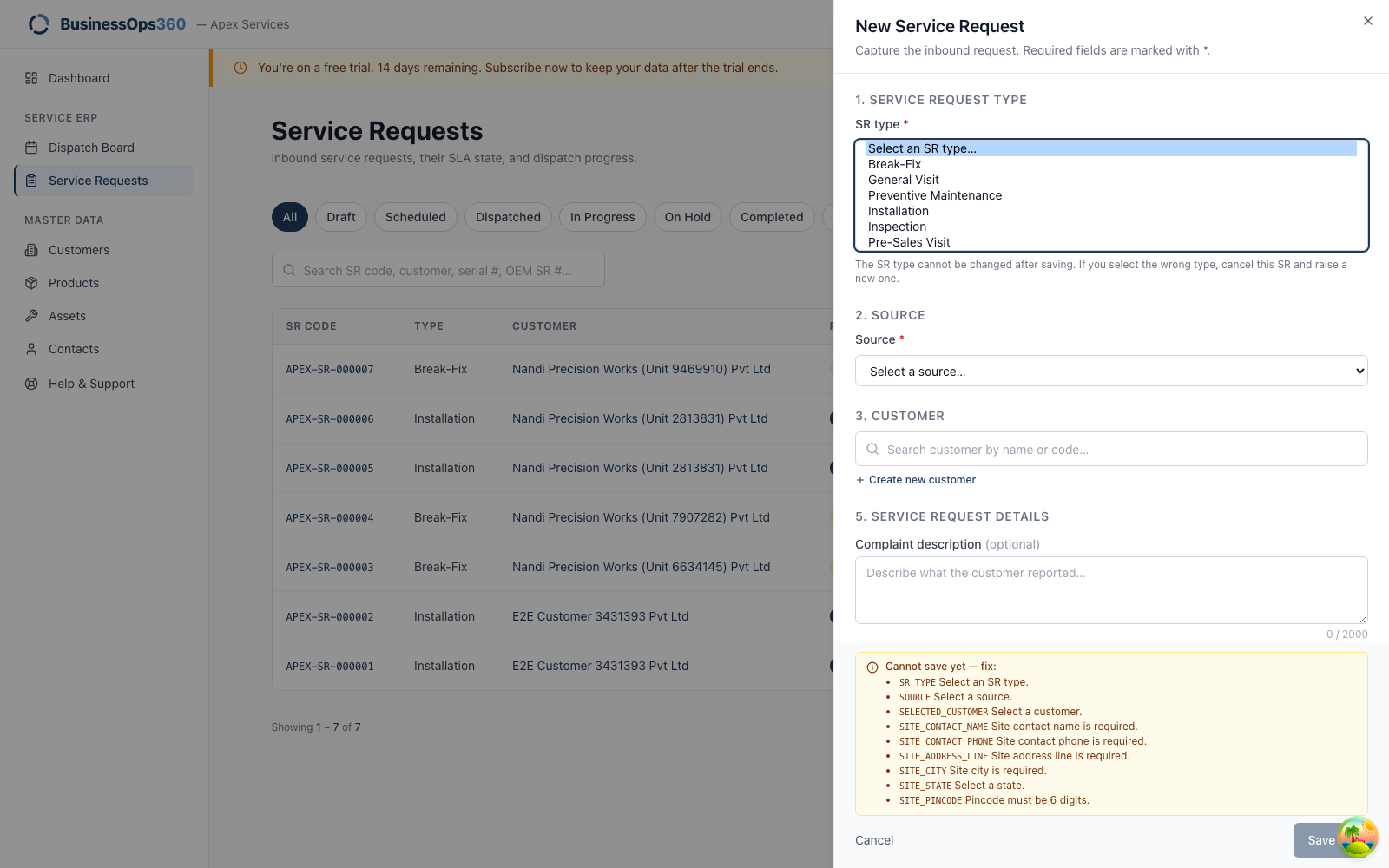
The same screen, opened by a Service Coordinator, offers all six work types —
including Installation and Preventive Maintenance. Same form, different job.
The Save button is greyed out
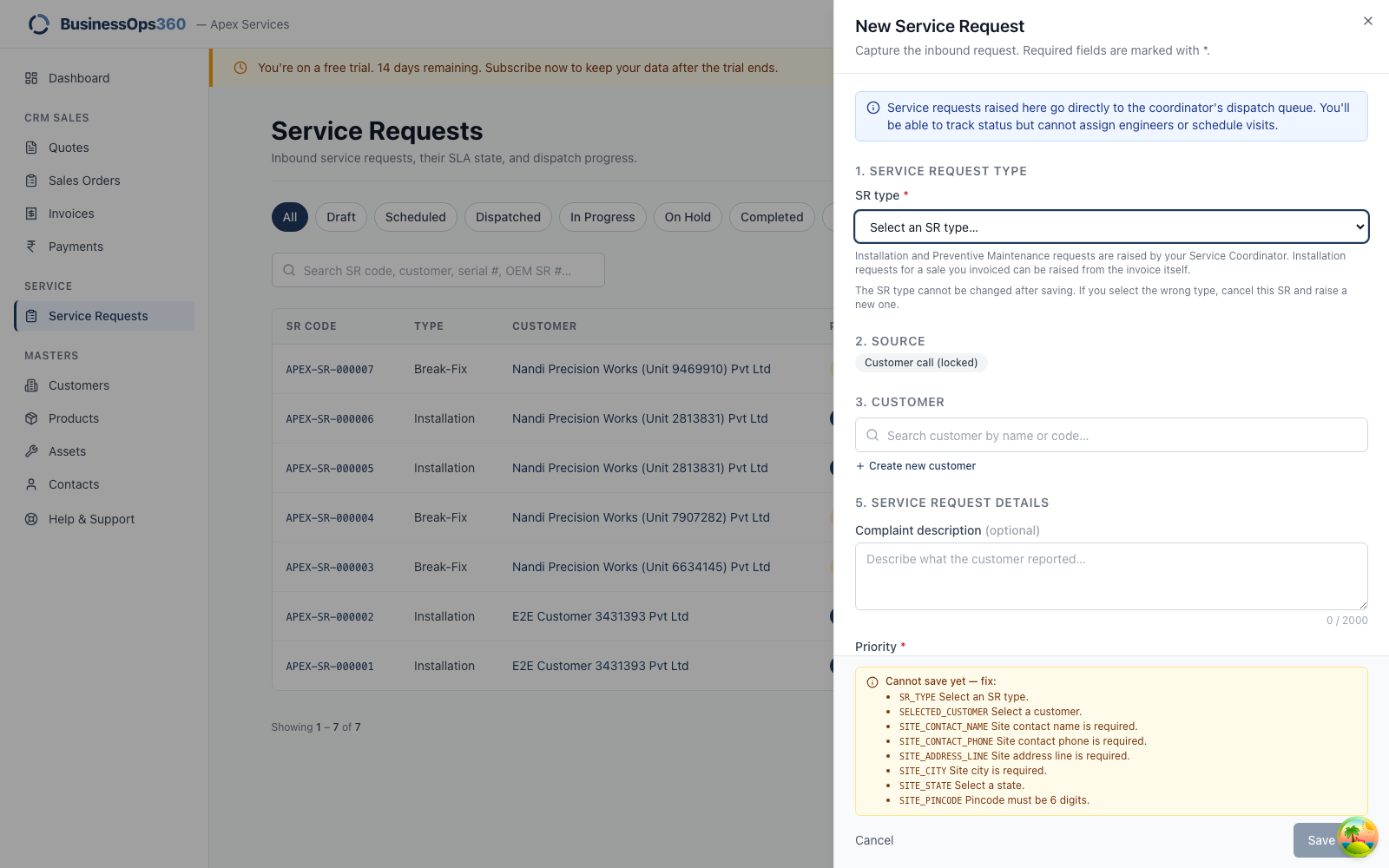
Save stays disabled until everything required is filled. The panel at the bottom
lists exactly what's missing, and updates as you type — work down that list.
"Site contact name is required" / "Site contact phone is required"
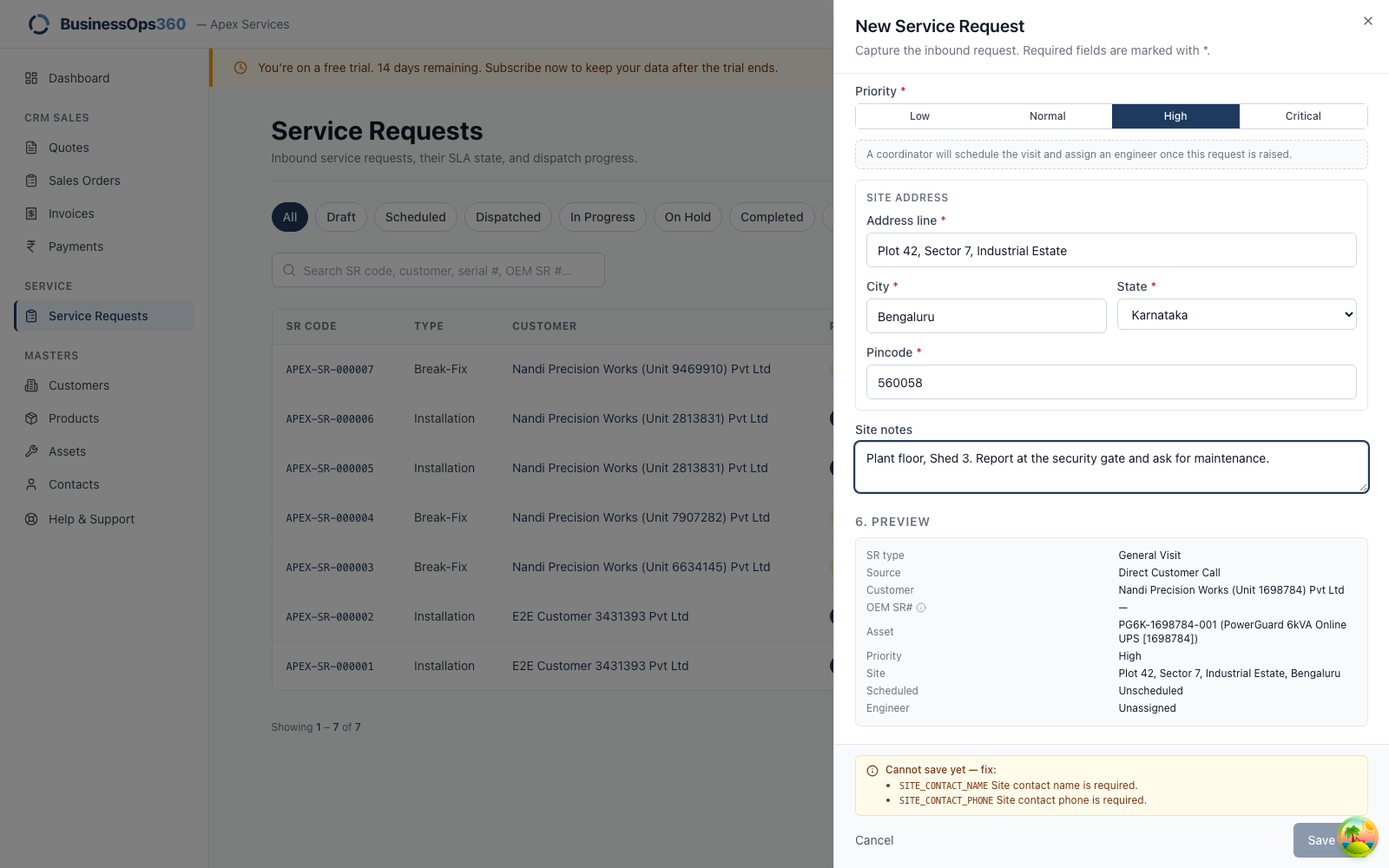
What it means: you haven't said who the engineer should ask for on site.
What to do: enter a name and a mobile number. If the customer can't give you
a specific person, use the main contact from their record — but somebody has to
be reachable, or the engineer arrives at a gate with no one to ask for.
"I can't find the customer"
Search by customer code rather than name — codes are unique where names are
often similar. If they genuinely aren't in the system yet, use + Create new
customer on the form.
"I can't find the unit"
The asset list is filtered to the customer you picked. If the machine isn't
there, it may never have been recorded against them — raise it with your
coordinator, who can add it.
"The customer needs an installation"
That's raised from the invoice for the equipment, not from here. If you've
invoiced the sale, tell your coordinator and they'll raise it from the invoice so
it's linked to the right serial numbers.
"The customer wants a maintenance visit"
If they have an AMC, the visits are already scheduled on the contract — your
coordinator can confirm the plan. If they don't have one, that's a sales
conversation: quote them an AMC.
Screens shown are from a demo workspace with invented company and contact
details. Your numbers and names will differ.